INPUT
Capture client, invoice, item and date information.
 pagefix.shop Start a project ↗
 A billing and invoice management system built around invoice creation, tax calculations, operational records and filtered business reporting.
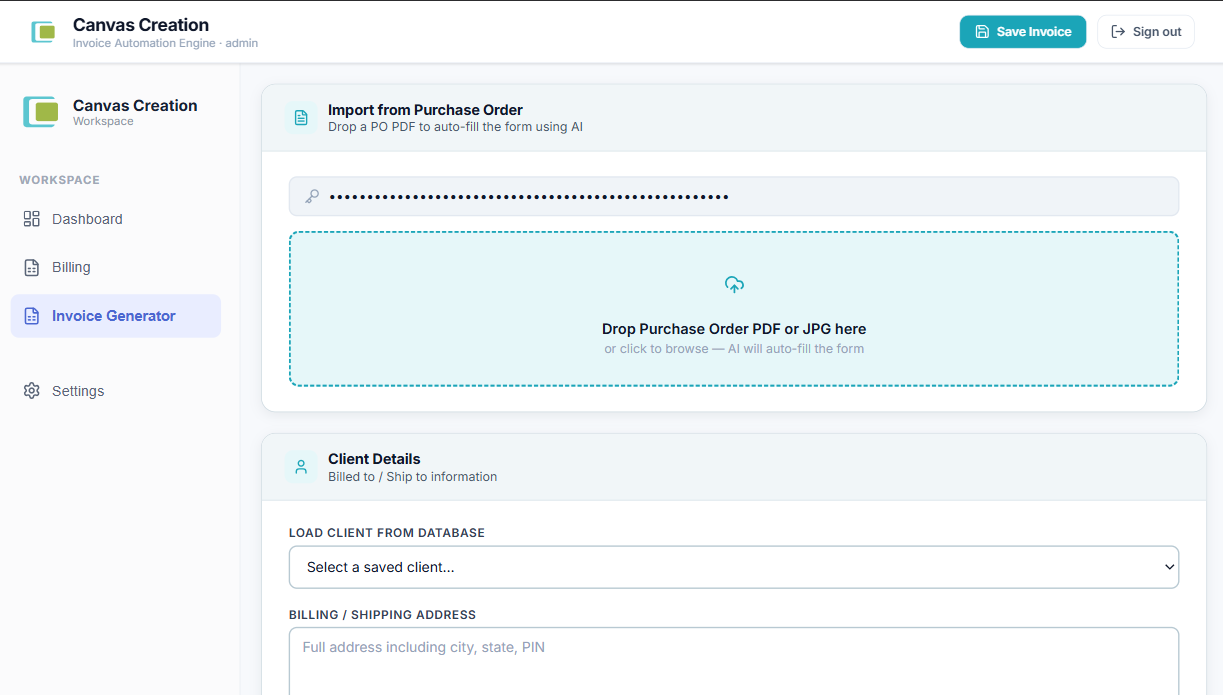
Screens and visuals from the project.
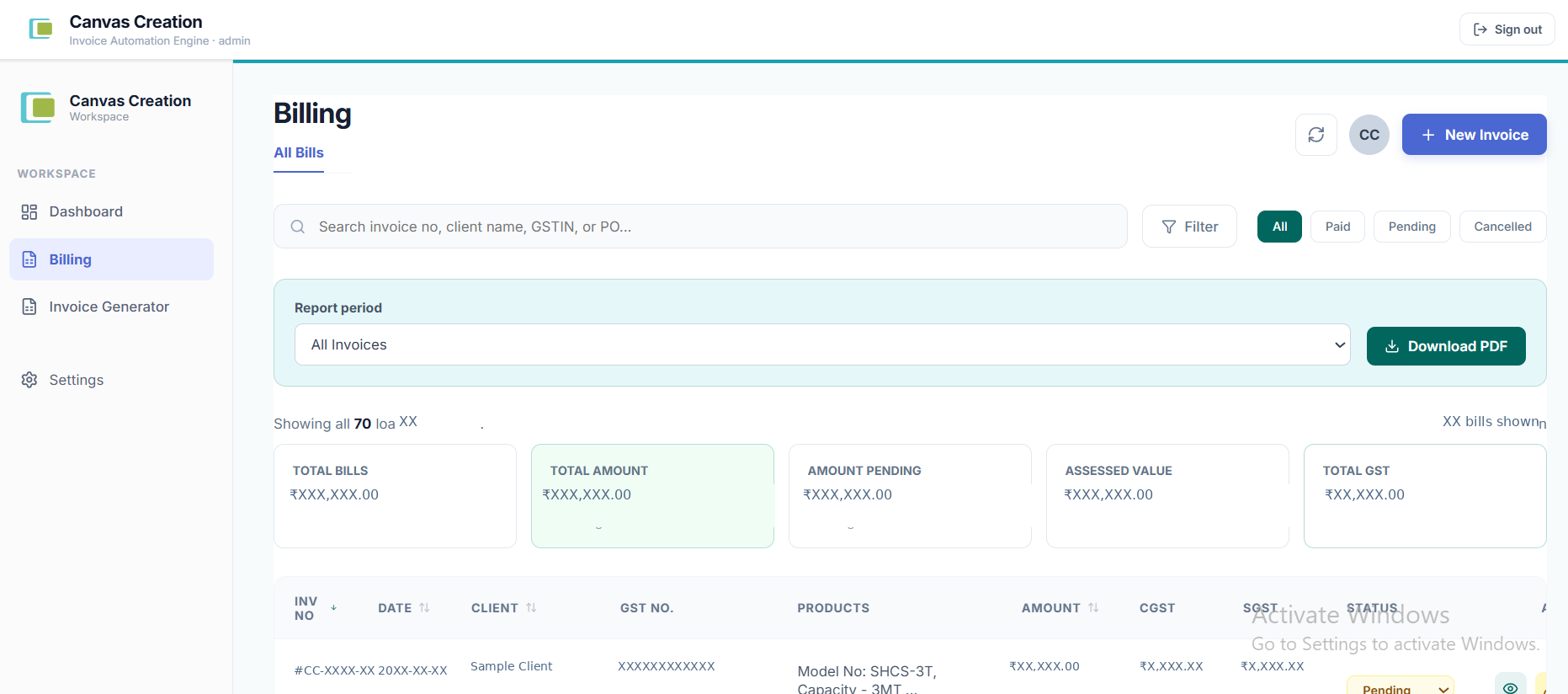
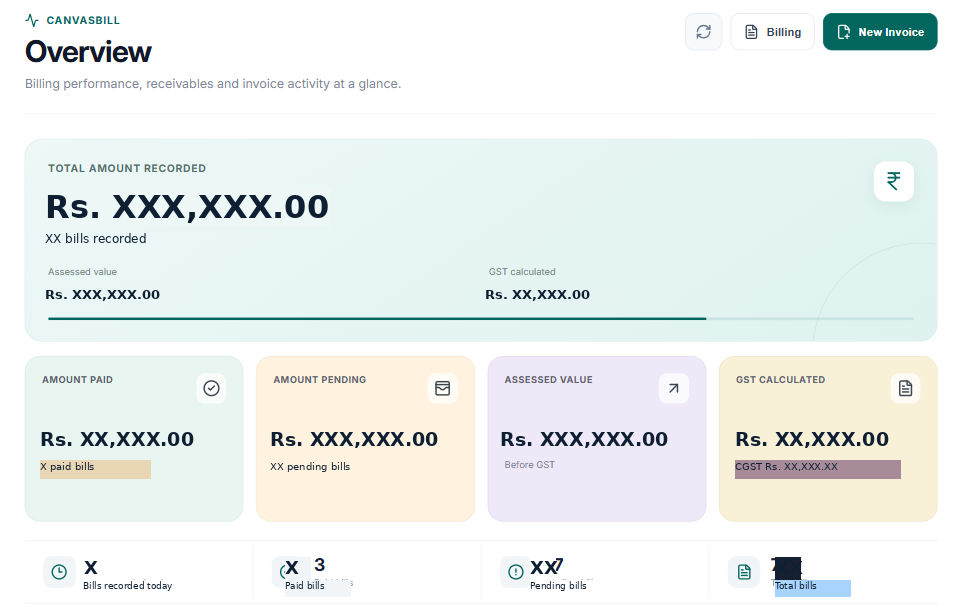
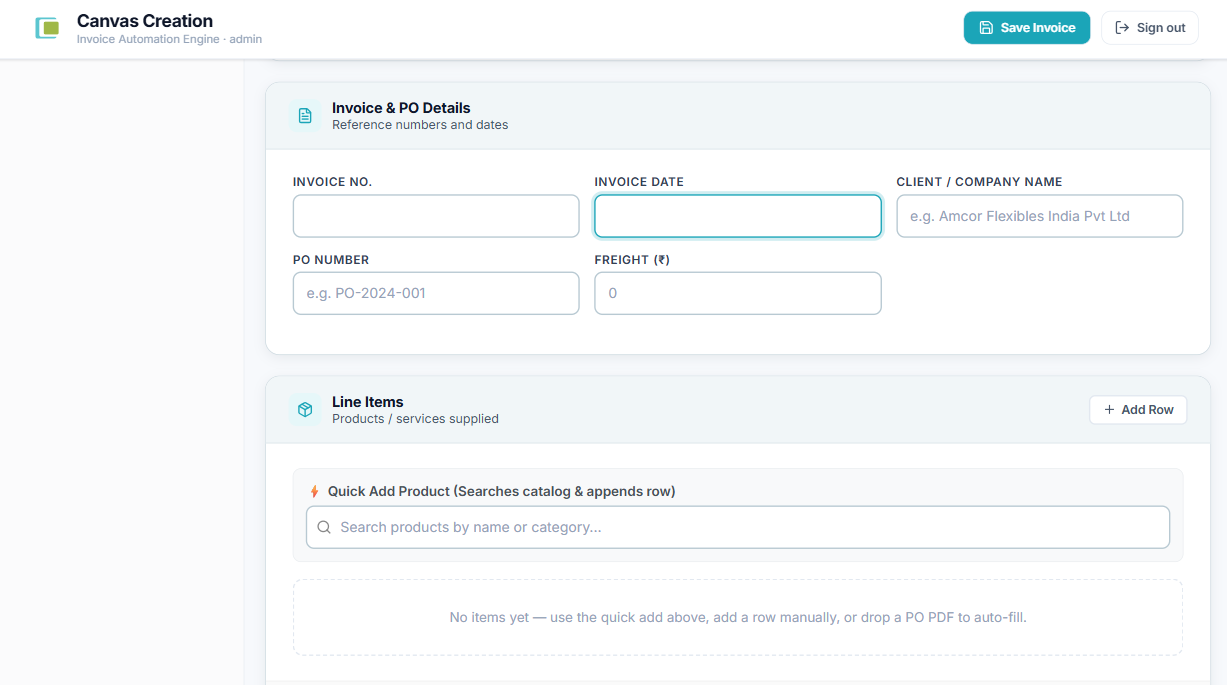

CanvasBILL brings the operational pieces of billing into one workspace: invoice records, client information, item calculations, GST handling, payment status, dashboard metrics and report generation.
Invoice creation and management
Client and GST information
Assessable value and tax calculations
Paid / pending status tracking
Dashboard metrics and invoice activity
Filtered PDF billing reports
The system needed to handle both individual invoices and the larger picture: how many bills exist, what they are worth, how tax is calculated, which records are paid or pending, and how a selected set of records becomes a usable report.
Keep invoice data structured enough for calculations and reporting.
Make the daily billing register searchable and operationally useful.
Keep tax and grand-total calculations consistent between invoice and report views.
Allow the visible, filtered billing set to become a report instead of exporting unrelated records.
CanvasBILL was treated as an operational product rather than a collection of forms. The interface, calculations and reporting behavior were designed around the same underlying invoice records.
The core product loop connects a single invoice to the larger reporting system. The same data can be viewed individually, summarized on the dashboard and turned into a filtered PDF report.
Capture client, invoice, item and date information.
Derive subtotal, freight, assessable value and applicable GST values.
Store invoice status and surface billing activity.
Search and narrow the billing records that matter.
Generate a PDF using the selected records and totals.
Use the resulting report as a structured business record.
Invoice totals are derived from item amounts, subtotal and freight, with GST values calculated from the client GST information. Reusing the same calculation logic keeps dashboard and report numbers aligned.
The report generator can use the records currently displayed in the billing table, preserving search, filters and sorting instead of exporting an unrelated full data set.
Historical invoice imports preserve existing invoice numbers and skip records that already exist, allowing older billing data to enter the system without silently renumbering current records.
The product connects a persistent data layer, calculation logic, dashboard presentation and document generation. That connection is what turns the interface into a usable business tool.
Invoices, clients, items, dates, GST information and status records.
Invoice item amounts, assessable value, CGST, SGST and grand-total calculations.
Dashboard metrics, invoice activity and billing records.
Filtered invoice selection and generated PDF billing reports.
The implemented product connects invoice creation and management with dashboard visibility and report generation. A supplied CanvasBILL report demonstrates 70 invoices with invoice number, date, client, GST number, assessed value, CGST, SGST, grand total and status fields, followed by a report summary.